
Audit Configurations
This section facilitates you to define the preferences for your PaperSave related audit logs. In this module, you can configure the Group/Users allowed to view the details, which system actions to audit, and the audit log backup period.
Watch the video to know the use of Audit Configurations.
The screen displays following options in the Audit configurations:
- Groups/Users allowed to view audit details: Enter the name of the user or group to whom you want to give permission to view Audit details.
- Default logged by system Actions to audit: This section displays the system actions to audit by default.
- Actions to audit: Click on the search box to select Actions performed by the selected users/groups in the log.
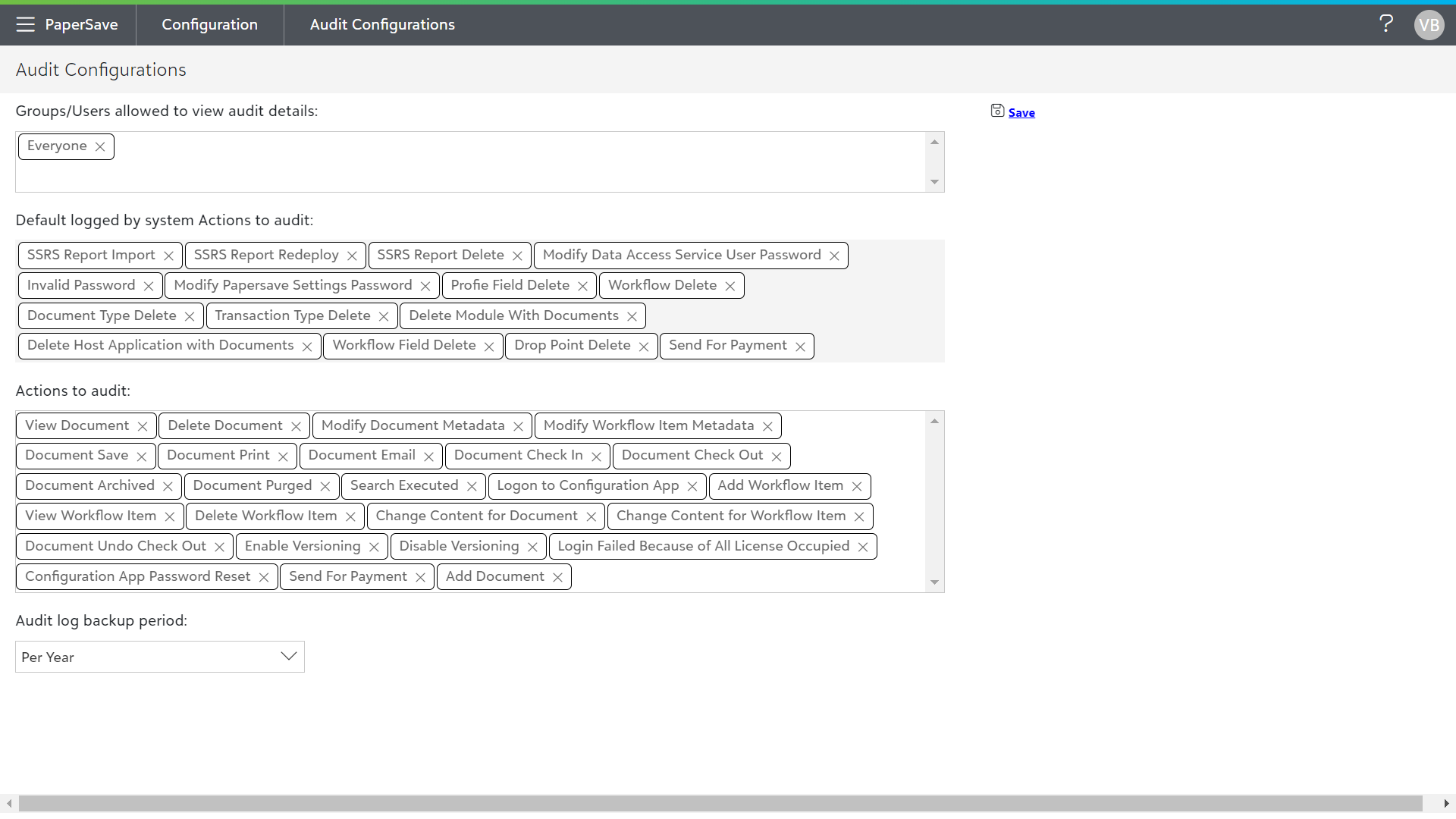
Note: The Default logged by system actions to audit will be captured in the audit logs. You are not allowed to add or remove any system actions. You can add desired actions to be captured in Audit Log in “Actions to audit” section.
Audit Log backup period
You can choose the time for the audit log backup from the dropdown list. Once the backup is done, data will be purged automatically. The various options for backup period are:
• Per Day: The automatic backup for the audit log will be performed on daily basis.
• Per Month: The automatic backup for the audit log will be performed on monthly basis on the same date as the currently selected date.
• Per Year: The automatic backup for the audit log will be performed on a yearly basis on the same date & month as the currently selected date.